A simplified interface for Windows file copying
Robocopy GUI is a versatile utility that simplifies Microsoft’s robust Robocopy command-line tool with an intuitive, user-friendly interface. It enables users to manage complex file transfers, backups, and folder synchronization effortlessly without needing advanced command knowledge. Suitable for IT professionals and casual users alike.
Robocopy GUI offers efficient file copying with directory mirroring, attribute preservation, and data verification. It allows users to perform reliable backups or duplications, supporting tasks like system maintenance, data migration, and file management with consistent speed, accuracy, and ease of use. It offers clear visual configuration, progress tracking, and detailed logging for reliable and efficient file management.
Streamlined file management and customization
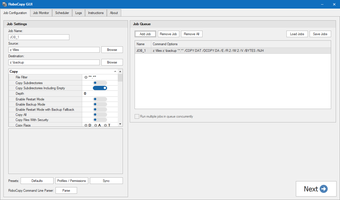
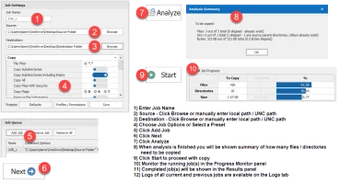
Robocopy GUI simplifies file transfer operations by offering intuitive control over source and destination paths. Users can select folders, define specific copy modes, and adjust parameters such as retries, exclusions, and file size filters directly through dropdowns and checkboxes. Its ability to save and reuse configuration profiles enhances convenience, making recurring backup tasks faster and more consistent over time.
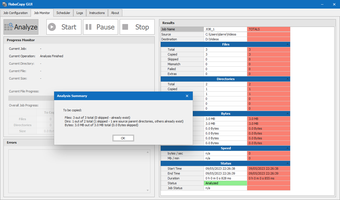
The software also includes a detailed progress display that shows real-time transfer statistics, completion percentages, and estimated time remaining. For system administrators or advanced users, the integrated logging system records all activity in plain text format, providing traceability and enhanced troubleshooting support. This makes it reliable for large-scale operations or automated backup routines that require precision, consistency, and continuous monitoring.
Despite its practicality, the software inherits certain limitations from the native Robocopy command. It relies on Windows’ built-in functionality, meaning advanced automation or scheduling may require external tools. The interface, while functional, feels slightly outdated compared to modern standards. However, these small drawbacks do little to diminish its efficiency, reliability, and focused design for managing precise file transfer and backup operations.
A practical enhancement to Robocopy
Robocopy GUI delivers a straightforward and dependable approach to file copying, bridging the gap between command-line power and graphical ease. It is particularly suited for users who value control and reliability but prefer a visual interface over typed commands. With its flexible options, stable performance, and low resource usage, it remains a valuable companion for managing data transfers on Windows systems.